Research:DrugDesign
reactive drug project
prepare protein and ligand
Add missing residue/side chain atoms:
- spdbview
- PDB2PQR can handle missing some side chain atoms
Add hydrogen (based on pka):
- propka/PDB2PQR http://propka.ki.ku.dk/ can handle protein charged residue. Is this reliable for ligand as claimed in v2.0? check a few to decide
- common orgnaic molecule pka: http://www.zirchrom.com/organic.htm
Water? keep the ones in actie site or all of them if possible.
Chunli,how to prepare protein and ligand:
- Check the hydrogen bond in pdb structure
I think it's important that you need to check hydrogen bond in the complex system. Firstly you need to read the paper that publish the structure. Most of time, in the paper, the author may tell you which residue can form hydrogen bond with ligand. So one is hydrogen bond acceptor (contain hydrogen), another is donor.
For example:


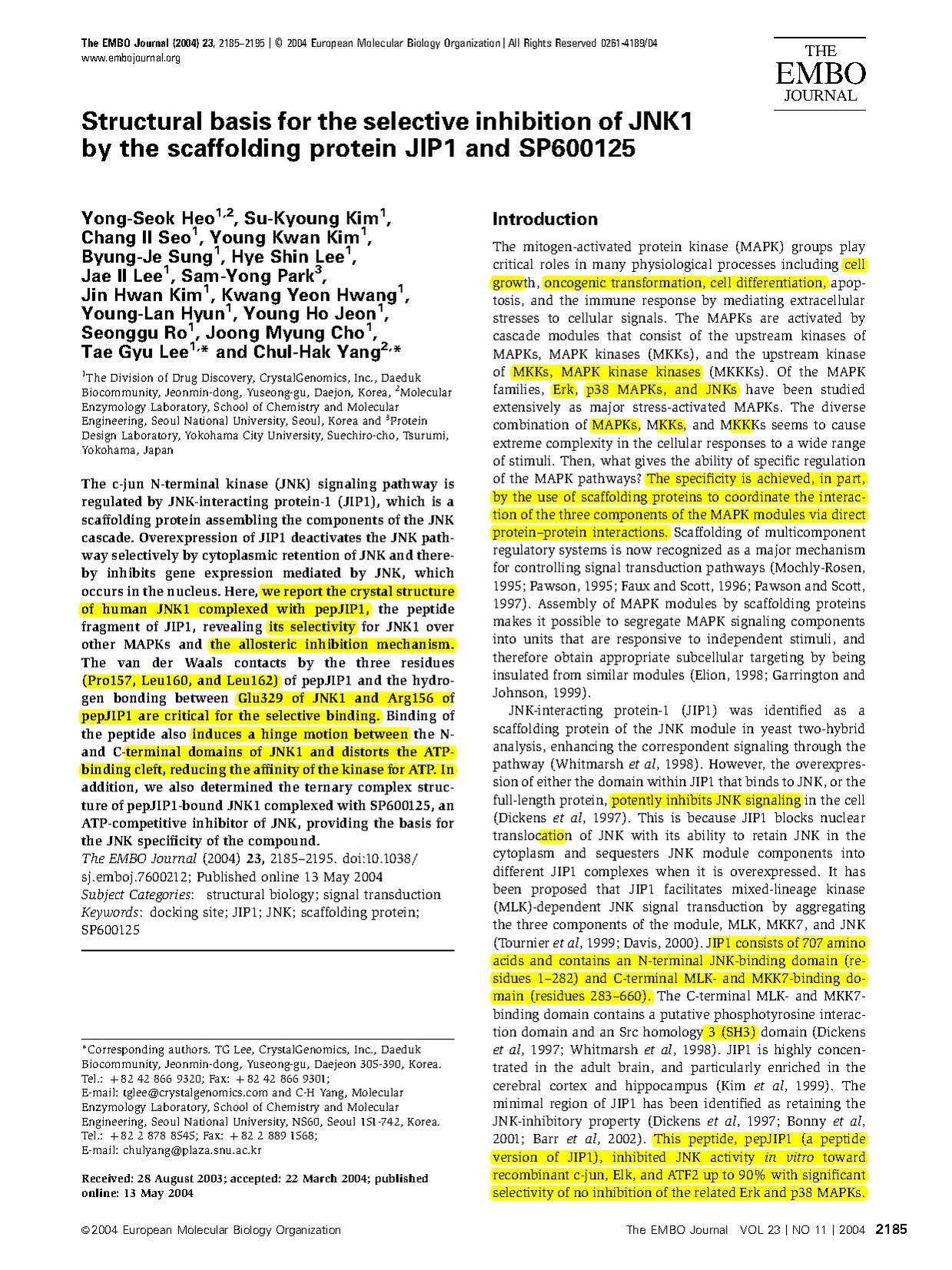
- The following are the residues can form hydrogen bond, and also we can use this to generate the hydrogen bond for amber trajectory:
 #-- Donors from standard amino acids
 donor mask :GLN@OE1
 donor mask :GLN@NE2
 donor mask :ASN@OD1
 donor mask :ASN@ND2
 donor mask :TYR@OH
 donor mask :ASP@OD1
 donor mask :ASP@OD2
 donor mask :GLU@OE1
 donor mask :GLU@OE2
 donor mask :SER@OG
 donor mask :THR@OG1
 donor mask :HIS@ND1
 donor mask :HIE@ND1
 donor mask :HID@NE2
 #-- Acceptors from standard amino acids
 acceptor mask  :ASN@ND2 :ASN@HD21
 acceptor mask  :ASN@ND2 :ASN@HD22
 acceptor mask  :TYR@OH  :TYR@HH
 acceptor mask  :GLN@NE2 :GLN@HE21
 acceptor mask  :GLN@NE2 :GLN@HE22
 acceptor mask  :TRP@NE1 :TRP@HE1
 acceptor mask  :LYS@NZ  :LYS@HZ1
 acceptor mask  :LYS@NZ  :LYS@HZ2
 acceptor mask  :LYS@NZ  :LYS@HZ3
 acceptor mask  :SER@OG  :SER@HG
 acceptor mask  :THR@OG1 :THR@HG1
 acceptor mask  :ARG@NH2 :ARG@HH21
 acceptor mask  :ARG@NH2 :ARG@HH22
 acceptor mask  :ARG@NH1 :ARG@HH11
 acceptor mask  :ARG@NH1 :ARG@HH12
 acceptor mask  :ARG@NE  :ARG@HE
 acceptor mask  :HIS@NE2 :HIS@HE2
 acceptor mask  :HIE@NE2 :HIE@HE2
 acceptor mask  :HID@ND1 :HID@HD1
 acceptor mask  :HIP@ND1,NE2 :HIP@HE2,HD1
- For small ligand, the author also give you some clue to add hydrogen, see the following structures:


- Never trust any softwares that add the hydrogen, different softwares maybe add different hydrogen. Once you add the hydrogen, you also need to show them and check them manully using some softwares like VMD, Pymol, UCSF Chimera (http://www.cgl.ucsf.edu/chimera/) and so on.
- Softwares that can add hydrogen:
 UCSF Chimera (http://www.cgl.ucsf.edu/chimera/), Swiss-PdbViewer (http://spdbv.vital-it.ch/). You also can use these
 softwares to check hydrogen bond network.
- tleap and xleap in amber can add hydrogen automatically. When you load your pdb file, hydrogen can be added at the same time.
- protonate is another one to add hydrogen
   Usage: protonate [-fhkmpr] [-d datafile]
   [-i input-pdb-file] [-o output-pdb-file] [-l logfile]
   -f to force write of atoms found (debugging)
   -h to write ONLY hydrogens to output file
   -k to keep original coordinates of matched protons
   -m to list mismatched protons
   -p to print proton substitutions
   -r to renumber residues starting at 1
   -d to specify datafile (default is $AMBERHOME/dat/PROTON_INFO)
   -i to specify input file (default is stdin)
   -o to specify output file (default is stdout)
   -l to specify logfile (default is stderr)
Using tleap or xleap:
    source leaprc.ff03
    mol = loadpdb ukh.pdb
    savepdb mol ukh_addH.pdb OR savemol2 mol ukh_addH.mol2
- Add missing atoms
- tleap or xleap
    source leaprc.ff03
    mol = loadpdb ukh.pdb
    savepdb mol ukh_addH.pdb OR savemol2 mol ukh_addH.mol2 (### have added missing atoms)
- Swiss-PdbViewer (http://spdbv.vital-it.ch/)
- Modeling missing loop
- UCSF Chimera (http://www.cgl.ucsf.edu/chimera/)
- Swiss-PdbViewer (http://spdbv.vital-it.ch/)
- Modeler (http://salilab.org/modeller/) and (http://biomol.bme.utexas.edu/wiki/index.php/Research:DrugDesign#Homology)
- MMTSB Tool Set (http://mmtsb.org/)
   buildModel.pl  build template-based model with loops generated by MODELLER
   loopModel.pl  model loops with MODELLER
   psipred.pl  predict secondary structure with PSIPRED
   psiblast.pl  obtain sequence alignment with PSI-BLAST
- pKa calculation
- H++ (http://biophysics.cs.vt.edu/H++/)
- PDB2PQR (http://www.poissonboltzmann.org/pdb2pqr/p
- propka/PDB2PQR (http://propka.ki.ku.dk/)
- Another software that can add hydrogen for small ligand
- Babel in openeye
   usage: /opt/openeye/babel/bin/babel −in ligand.sdf −out ligand.mol2
   -hydrogens Hydrogen handling: allowed values are ”add”, ”delete” and ”same” (meaning same as
   input).
- Open babel
  Usage: babel <input spec> <output spec> [Options]
  -d Delete hydrogens (make implicit)
  -h Add hydrogens (make explicit)
  -p Add Hydrogens appropriate for pH model
- Hermes (in Gold: http://www.ccdc.cam.ac.uk/products/life_sciences/hermes/)
- ADT (in Autodock: http://autodock.scripps.edu/resources/adt/index_html)
- You can use VIDA (/opt/openeye/vida/bin/vida) and Hermes to visualize many ligand file (10000?) at the same time.
Docking
LIE using gromacs
- create energy groups for ligand and protein using make_ndx
- LIE in GROMACS (full tutorial)
- Lie procedure
Free energy calculations
Methods
  Compare Bennett acceptance ratio and other methds for free energy calculations.
  Shirts and Pande

Thermodynamic integration usig GROMACS
This is can be useful for disappearing a ligand or mutate one into another
A tutorial explaining disappearing a methane molecule in water using gromacs 3: http://www.dillgroup.ucsf.edu/group/wiki/index.php?title=Free_Energy:_Tutorial#Setting_up_run_input_files
John Fonner also use this to build polymer matrix, by scaling polymer interactions back while annealing the structure.
Some key points:
Assuming you have state A and B, in your case, no nonbonded interaction between polymers -> full interaction
1. You can define state A and B in one topology file [ atoms ]section.
Example:
[ atoms ]
;   nr       type  resnr residue  atom   cgnr     charge       mass  typeB    chargeB  massB
    1   opls_138      1   ALAB     CB      1      0.0       12.011   dum_138      0.000     12.011
    2   opls_140      1   ALAB    HB1      2      0.0        1.008   dum_140      0.000      1.008bb
    3   opls_140      1   ALAB    HB2      3      0.0        1.008   dum_140      0.000      1.008
    4   opls_140      1   ALAB    HB3      4      0.0        1.008   dum_140      0.000      1.008
    5   opls_140      1   ALAB    HB4      5      0.0        1.008   dum_140      0.000      1.008
Note the typeB is dummy in the methane disappearing example above. You can define the dummy in the topology file, [ atomtypes ] section or in your ffoplsaanb.itp.
[ atomtypes ]
- ala
opls_138    CT     12.01100    -0.240       A    3.50000e-01  2.76144e-01
opls_140    HC      1.00800     0.060       A    2.50000e-01  1.25520e-01
dum_138     CT     12.01100    -0.240       A    0.0          0.0
dum_140     HC      1.00800     0.060       A    0.0          0.0
If you are changing bonded interactions from A to B, see gromacs manual (v3.3) 5.7.4 Topologies for free energy calculations.
2. What lambda means: Utotal=(1-lamda)*Ua+lamda*Ub. So if you use dummy for state A and real vdw and charge for state B, at lamda=0 there will be no interaction. At lamda=1, there will be full interaction.
3. As pointed by the methane tutorial, it is best to set delta_lamda =0. This effect will allow you run minimization or MD at sepcfic lambda. The only difference between the mdp input file will be init_lambda = X, where X can be 0, 0.1, 0.2…….1
; Free energy control stuff in mdp
free_energy = yes
init_lambda = 0.1
delta_lambda = 0
sc_alpha =0.5
sc-power =1.0
sc-sigma = 0.3
Implicit-solvent approach: AMBER MM-PBSA tutorials
How to use MM-PBSA to re-evaluate binding energy of several snapshots from MD simulations
http://amber.scripps.edu/tutorial/AMBER-MM_PBSA-tutorial_v8.pdf
including entropy calculaion using normal-mode
http://amber.scripps.edu/tutorials/advanced/tutorial3/index.htm
More updated on other aspects but ignore entropy, i.e. enthalpy only)
Another one that discuss entropy - including a sphere around active site t save computational cost)
http://www.teokem.lu.se/~ulf/Methods/mm_pbsa.html
Correction when using AMBER MM-PBSA
- A file called nmode_com.in generated by mm_pbsa.pl need to be corrected, i.e.
&data
  ntx    =0,%%Here ntx=0 need to be corrected to ntx=1 to calculate the nmode
  ntrun  =1,   nvect   =0,
  drms   =0.0001,
  dielc  =4.0,  idiel   =0,
  scnb   =2.0,  scee  =1.2,
 &end
END
Chunli tips
I always use amber ff99SB, amberff99 and amber03 for protein,RNA and DNA. For ligand,
I use gaff.But Gaussian otimization is different for amberff99 and amber03.
  *For ff99SB and ff99:

   Quantum chemical calculations were executed for the small ligand to deduce the atom
charges utilized in MD simulations.Geometry optimization was performed on each ligand, and the electrostatic potential was calculated at the HF/6-31G(d) level using the Gaussian03 program. The partial atom charges were determined using the RESP method.
   *For ff03:


   Quantum chemical calculations were executed for the ligand to deduce the atom charges utilized in MD simulations.
Geometry optimization was performed on ligand at the HF/6-31G(d,p) level, and the electrostatic potential was calculated
at the B3LYP/cc-pVTZ level under solvation conditions with ether (ε = 4) by the IEFPCM method using the Gaussian 03 program.
The partial atom charges were determined using the RESP program, implemented in the AMBER9 package.
Autodock 4.0
- The latest version of AutoDock 4.0 has been installed in /opt/autodock4-08/
- All the install files are in download directory.
- MGLTools-1.4.6-Linux-x86-Install is the ADT install file
- autodocksuite-4.0.1-all.tar.gz is the source code (whole package)
- autodocksuite-4.0.1-i86Linux2.tar.gz is the executables for Linux redhat
- Directory cvs-tutorial contains the tutorial of virtual screen including scripts and documents.
- Please begin with UsingAutoDock4WithADT_1.4.5d.pdf if this is your first time using autodock. This tutorial uses the ADT graphical tool to perfrom docking.
- Some of the exercise files are in /opt/autodock4-08/cvs-tutorial/tutorial4/Results4
- To use adt (docking interface) and other graphical interface, add the following to your .cshrc file
- Please begin with UsingAutoDock4WithADT_1.4.5d.pdf if this is your first time using autodock. This tutorial uses the ADT graphical tool to perfrom docking.
    alias pmv /opt/autodock4-08/MGLTools-1.4.6/share/bin/pmv
    alias adt /opt/autodock4-08/MGLTools-1.4.6/share/bin/adt
    alias vision /opt/autodock4-08/MGLTools-1.4.6/share/bin/vision
    alias pythonsh /opt/autodock4-08/MGLTools-1.4.6/share/bin/pythonsh
- Virtual screen tutorial is useful for automated, high throughput screening.
- Directory autodocksuite-4.0.1 has the source code as well as executables for differenct platforms while directory i86Linux2 only has the executables autodock4 and autogrid4 for Linux.
- ADT is installed under MGLTools-1.4.6. GUI can be run by doing /opt/autodock4-08/MGLTools-1.4.6/share/bin/adt. You can add that to your alias in case you forget the whole path.
- Everything is also available on http://autodock.scripps.edu/
- During the use of the graphical interface "adt", be careful in exercise ten starting autogrid4 and exercise 12 starting autodock4, all the input files need to be in the current directory to run autogrid4 or autodock4, say, the *.gpf and the *.dpf. And the command to execute the above two executable files should not contain absolute path of the input files. Since they are prepared in the current directory, simply specify their file names.
Database
- The small molecule databases for Docking or Virtual Screening have been put in /opt/database directory
     ChemBridge: /opt/database/ChemBridge
     1. EXPRESS-Pick™ Database: EXPRESS-Pick October 2008.sdf  or EXPRESS-Pick October 2008.db
     2. KINASet Database (ATP analogue): KINASet.sdf or KINASet.db
     This is the same as kinaset in CHembridge/ KINASet@: New_custom_Kinaset_3D_05072007 as a sdf or db or zip file (/opt/database/chembridge/kinaset)
     3. NOVACore/PHARMACophore Combined Database: NCL-PCL October 2008.sdf or NCL-PCL October 2008.db
     4. GPCR and KINACore Library databases: GPCR September2008.zip
     5. FOCUSCore Library database: FocusCore_September2008.zip

     Diversity set (non ATP analogue)
     6. NCI(National Cancer Institute)-diversity Set: NCI-Open_09-03.sdf.gz(/opt/database/NCI-diversity)
     7. Maybridge Chemical Company (England): MayBridge.sdf (/opt/database/maybridge)
- pdbbind opt/reprints/benchmark/pdbbind/all-core-10-2008.xls
- binding DB (Gilson)
Database refinement
- pdbbind opt/reprints/benchmark/pdbbind/all-core-10-2008.xls
- documentation: http://www.pdbbind.org.cn/download/pdbbind_2008_intro.pdf
- Additional literature:
Solvation energy database
http://biomol.bme.utexas.edu/reprints/benchmark/solvation/
There are probably more papers out there by Ron Levy or David Case
The expt data are in the supplemental data -should be useful for amoeba or coarse-grained implicit solvent model refinement. More expt data from simulation papers:
http://biomol.bme.utexas.edu/reprints/solvation/small-mol/
2d to 3d structure conversion
The first thing is to convert the structure from 2D to 3D, add hydrogen and optimize. 1) You can use babel to add hydrogens, generate 3D structure, and optimize. An example is in /opt/database/chembridge/DIVERSet-06/2d-3d-test/ 2) Alternatively, you can use openeye software to do this. Chunli can help you with this. 3) Or use my script in /op/database/sdfbatch.pl
Homology
- How to add missing atoms or missing residues
1) add missing atoms
  a. using leap module in AMBER
  b. using Swiss-PdbViewer (http://spdbv.vital-it.ch/)
2) using Modeler to add missing residues (http://salilab.org/modeller/)
Often, you will encounter files in the PDB which have missing residues. Special care must be taken in this case,as MODELLER only reads the ATOM and HETATM records, not the SEQRES records, and so will not handle missing residues automatically. (Unfortunately PDB is not reliable enough to be able to automatically rely on SEQRES.)
One example is PDB code 1qg8, which is missing residues 134-136 and 218-231 (see the REMARK 465 lines in the PDB file). We can use Modeller to 'fill in' these missing residues by treating the original structure (without the missing residues) as a template, and building a comparative model using the full sequence.
First, we obtain the sequence of residues with known structure:
  # Get the sequence of the 1qg8 PDB file, and write to an alignment file
  code = '1qg8'

  e = environ()
  m = model(e, file=code)
  aln = alignment(e)
  aln.append_model(m, align_codes=code)
  aln.write(file=code+'.seq')
This produces a sequence file, 1qg8.seq:
>P1;1qg8
structureX:1qg8: 2 :A: 256 :A:undefined:undefined:-1.00:-1.00 PKVSVIMTSYNKSDYVAKSISSILSQTFSDFELFIMDDNSNEETLNVIRPFLNDNRVRFYQSDISGVKERTEKTRYAALINQAIEMAEGEYITYATDDNIYMPDRLLKMVRELDTHPEKAVIYSAS KTYHLNDIVKETVRPAAQVTWNAPCAIDHCSVMHRYSVLEKVKEKFGSYWDESPAFYRIGDARFFWRVNHFYPFYPLDEELDLNYITEFVRNLPPQRNCRELRESLKKLGMG*
From the PDB REMARKs or SEQRES records, we know the missing residues, so now we can make an alignment between the original 1qg8 structure (as the template), with gap characters corresponding to the missing residues, and the full sequence. This we place in a new alignment file, alignment.ali:
>P1;1qg8
structureX:1qg8: 2 :A: 256 :A:undefined:undefined:-1.00:-1.00
PKVSVIMTSYNKSDYVAKSISSILSQTFSDFELFIMDDNSNEETLNVIRPFLNDNRVRFYQSDISGVKERTEKTRYAALINQAIEMAEGEYITYATDDNIYMPDRLLKMVRELDTHPEKAVIYSAS
KTYHLN---DIVKETVRPAAQVTWNAPCAIDHCSVMHRYSVLEKVKEKFGSYWDESPAFYRIGDARFFWRVNHFYPFYPLDEELDLNYIT--------------EFVRNLPPQRNCRELRES LKKLG
MG*
>P1;1qg8_fill
sequence:1qg8_fill:::::::::
PKVSVIMTSYNKSDYVAKSISSILSQTFSDFELFIMDDNSNEETLNVIRPFLNDNRVRFYQSDISGVKERTEKTRYAALINQAIEMAEGEYITYATDDNIYMPDRLLKMVRELDTHPEKAVIYSAS KTYHLNENRDIVKETVRPAAQVTWNAPCAIDHCSVMHRYSVLEKVKEKFGSYWDESPAFYRIGDARFFWRVNHFYPFYPLDEELDLNYITDQSIHFQLFELEKNEFVRNLPPQRNCRELRES
LKKLGMG*
We can now use the standard Modeller 'loopmodel' class to generate a model with all residues, and then to refine the loop regions:
  from modeller import *
  from modeller.automodel import *    # Load the automodel class

  log.verbose()
  env = environ()

  # directories for input atom files
  env.io.atom_files_directory = ['.', '../atom_files']

 a = loopmodel(env, alnfile = 'alignment.ali',
                knowns = '1qg8', sequence = '1qg8_fill')
 a.starting_model= 1
 a.ending_model  = 1

 a.loop.starting_model = 1
 a.loop.ending_model   = 2
 a.loop.md_level       = refine.fast

 a.make()
If you do not want loop refinement, simply use the automodel class rather than loopmodel, and remove the three lines which set a.loop parameters.
Note that loop modeling will only refine the shorter of the two loops by default. You can modify the select_loop_atoms routine to refine both loops, but you are not likely to get good results with this long insertion. In this case, you should probably try to find another template for this part of the sequence, or impose secondary structure restraints if you have reason to believe the insertion is not a loop.
(!) Because either automodel or loopmodel will build a comparative model using your input PDB as a template, potentially all of the atoms in your final model could move. If you really don't want the non-missing residues to move, you can override the select_atoms method to select only the missing residues with a script similar to:
  from modeller import *
  from modeller.automodel import *    # Load the automodel class

  log.verbose()
  env = environ()

  # directories for input atom files
  env.io.atom_files_directory = ['.', '../atom_files']

 class MyModel(automodel):
     def select_atoms(self):
          return selection(self.residue_range('133', '135'),
                           self.residue_range('216', '230'))

  a = MyModel(env, alnfile = 'alignment.ali',
              knowns = '1qg8', sequence = '1qg8_fill')
  a.starting_model= 1
  a.ending_model  = 1

  a.make()
Modeler usage:
command: mod9v5 configure file